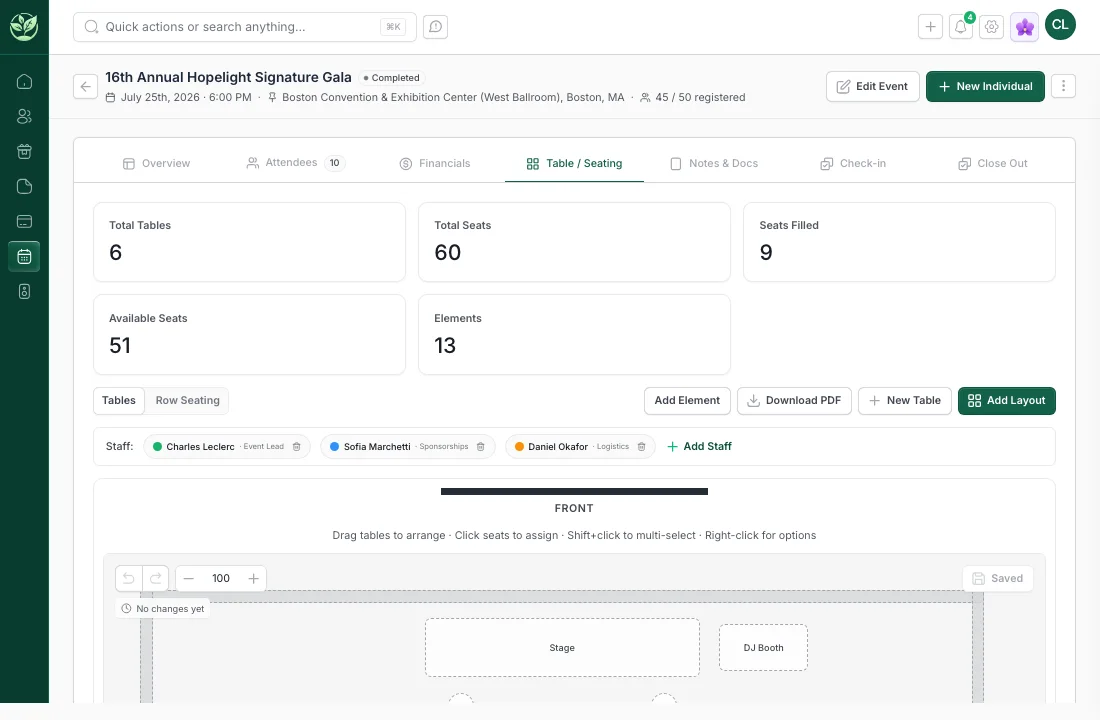
The event page is the operating room
Sapling gives each event a real working surface: details, status, owners, dates, venue, staff, fundraising revenue, attendance, notes, documents, and the next actions needed to run the event well.
- Event details
- Event staff
- Venue and date context
- Event files and notes
- Status and close-out
Attendees, guests, and seating stay usable
Events create relationship context. Sapling is designed to keep registrants, guests, table assignments, check-in status, attendance, notes, and follow-up close to the contact record.
- Attendee roster
- Seating and guest context
- Check-in status
- Guest-of relationships
- Donor timeline context
- Post-event segments
Revenue and expenses are part of the event
Ticket sales, event gifts, sponsorships, other revenue, expenses, deposits, vendors, and close-out work should be visible before leadership asks whether the event worked.
- Ticket and registration revenue
- Event gift totals
- Other revenue lines
- Expense tracking
- Sponsor context
- Net event picture
Follow-up should start before the event ends
A good event becomes stewardship, qualification, reactivation, and major-gift work. Sapling keeps tasks, communications, attendee notes, campaigns, and donor history close enough that follow-up does not get rebuilt from memory.
- Post-event segmentation
- Attendee notes
- Task creation
- Communication history
- Follow-up recommendations
Planning and event advice
Sapling should help teams think through who to invite, what the event is meant to accomplish, how sponsors fit, what giving paths should be available, and what the follow-up plan should be.
- Invite strategy
- Registration and payment setup
- Sponsorship planning
- Day-of workflow
- Close-out review
Event advice and planning
Event strategy belongs near the donor data. Sapling can help teams think through invite lists, event goals, sponsorship fit, and follow-up plans.
- Invite list planning
- Registration and payment setup
- Post-event segmentation
- Event sponsor review
- Follow-up recommendations